A single product photo can show customers what you’re selling, but an advertising campaign needs more variety. Different audiences, platforms, and selling points call for different visuals. Organizing a separate photoshoot for every campaign idea can quickly become expensive.
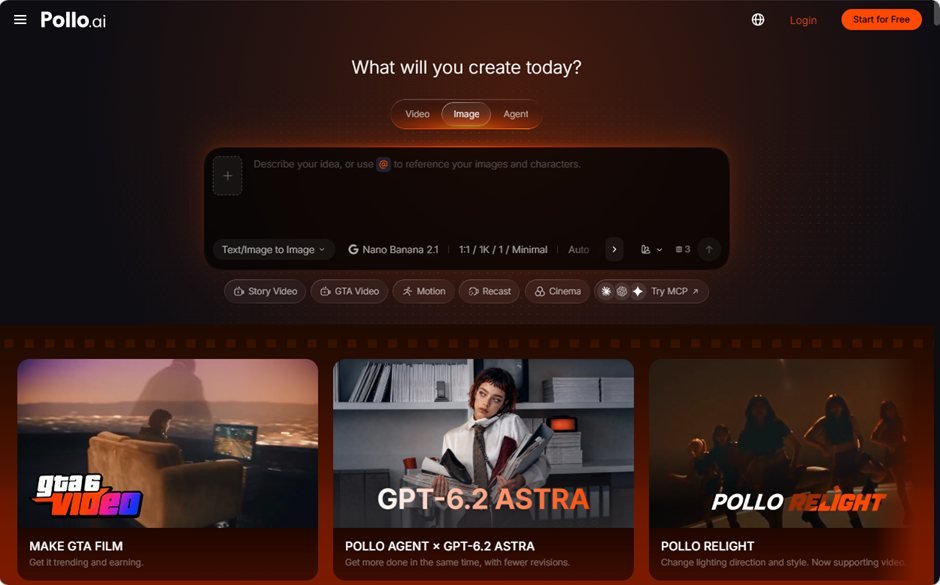
With the AI image editor and marketing tools from Pollo AI, brands can turn one product shot into lifestyle images, social media ads, promotional graphics, and short videos. Here’s how to get more marketing value from your existing product photographs.
Prepare Your Original Product Photo
Imagine a kitchenware brand launching a reusable lunch container with a sage-green lid and visible locking clips. The business has a clear catalog photograph but needs additional visuals showing how the product fits into everyday life.
Start by uploading the original image to Pollo AI’s Photo Editor. Remove distracting background elements or correct unwanted lighting if necessary.
Keep the container’s shape, color, material, and construction accurate. The prepared image will serve as the visual reference for the campaign, while the original photograph remains available for comparison.
Create Lifestyle Product Images for Different Audiences
A catalog image shows what a product looks like. Lifestyle photography helps customers imagine using it.
For the lunch container, potential customers could include office workers, families who enjoy outdoor activities, and people who bring meals on their daily commute.
With Pollo AI, you can turn product photos into realistic lifestyle images by simply uploading a product photo and describing the desired setting.
For example:
“A sage-green lunch container on a light wooden office desk beside a notebook and folded napkin. Soft morning daylight, natural shadows, and realistic proportions. Preserve the container’s original shape and locking clips.”
Create additional scenes for a family picnic and a commuter’s lunch break. Select the images that accurately represent the product and communicate different everyday uses.
These lifestyle visuals now provide the foundation for several advertising ideas.
Match Ad Creatives to Your Target Audience
Different product scenes should support different reasons to buy. Before designing advertisements, decide what each image needs to communicate.
Marketing Studio by Pollo AI brings together product photography, image advertising, and video creation tools that can support different stages of a campaign.
For the lunch container, the brand could develop three advertising directions:
Each image addresses a different audience while promoting the same product.
Use the AI image editor from Pollo AI to refine the selected scenes around their intended messages. Simplify the office desk to create room for a headline, or adjust the picnic composition to make the container more prominent.
Finish the advertisements with suitable calls to action. Keep every selling point grounded in confirmed product features rather than implying unverified benefits such as insulation or leak resistance.
Design a Multi-Image Product Launch Post
Individual advertisements can target specific audiences, while a product launch announcement may need to communicate several use cases at once.
The approved office, picnic, and commuting images already give the brand enough material for a more comprehensive social media graphic.
Try the AI photo collage maker from Pollo AI to develop a three-panel launch post featuring the lifestyle scenes. Request balanced spacing, a coordinated color palette, and room for a short launch headline.
Review the collage against the original approved images. If the generated layout changes important product details, recreate the selected arrangement using the genuine source files.
The finished graphic can introduce the product on social media, while the separate lifestyle images remain available for audience-specific advertisements.
Adapt Ads for Different Marketing Channels
A square social feed advertisement, a vertical Story, and a wide website banner all need different compositions.
Simply cropping one finished advertisement for every placement can hide the product or make the headline difficult to read.
Return to the approved lifestyle images in Pollo AI and describe the framing needed for each channel. For a vertical Story, request additional space above the lunch container. For a website banner, position the product toward one side to leave room for the marketing message.
Add the appropriate headline and call to action using your layout tools. This creates a collection of related advertisements without forcing every placement into the same design.
Turn Product Images Into Video Ads
Static advertisements introduce the product visually, while short videos offer another way to capture attention on social media.
Choose the approved picnic image and upload it to Pollo AI’s Image to Video tool. Describe a gentle camera movement that gradually draws attention toward the lunch container.
Once the generated clip accurately represents the product, use it as the opening shot of a short promotional video. Add the picnic campaign’s headline and a relevant call to action.
For additional advertising formats, Marketing Studio by Pollo AI offers dedicated Product Video, Promo Video, and Image Ads workflows. These tools give marketers more ways to develop campaign content around the same product and selling message.
By reusing approved product references and creative ideas across images and videos, brands can build a more cohesive campaign without developing every asset independently.
Final Thoughts
One product photograph can become the foundation for an entire advertising campaign. Pollo AI brings image editing, product staging, graphic creation, and video tools together, helping brands develop more marketing materials from their existing assets. Start with one accurate product photo and try the AI image editor to create lifestyle visuals, social advertisements, and promotional content for your next launch.